Play Zombie Gems Online Free - Complete Game Review & Guide
What is Zombie Gems?
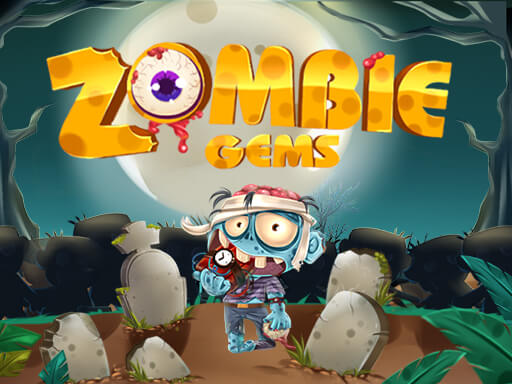
How many zombies can you match? What's your high score? "Zombie Gems" is a thrilling Match-3 game that combines the fun of matching with the eerie charm of zombies. With dazzling combos and exciting powerups, you'll have to figure out which zombies to pair to unleash magical transformations. Watch as row after row of zombies resolve themselves in a spooky and satisfying way.
Features:
- 20 different powerups to boost your gameplay
- 7 different zombie types to match
- Spooky artwork that'll make you feel like you're in a horror movie
- Spooky music and sound effects that'll heighten the tension and excitement
How to play Zombie Gems
Ready to join the zombie match-making challenge? Here's how to play "Zombie Gems":
- Match Zombies: Swipe to combine three or more identical zombies to make them disappear and clear rows.
- Unlock Powerups: Collect stars to unlock a variety of powerups that can turn the tide of the game.
- Powerup Your Moves: Use powerups to clear entire rows, make special combinations, or even turn your enemies into your allies.
- Keep an Eye on the Score: Aim for high scores as you match as many zombies as possible.
- Play and Enjoy: The more you match, the more you'll love the spooky, satisfying experience of "Zombie Gems."
Recommended next: Rabbit Zombie Defense
Everything You Need to Know About Zombie Gems
Game Information
- Game Title: Zombie Gems
- Genre: shooting
- Platform: HTML5 Browser Game
- Release Date: 2024-11-04
- Players: Single Player / Multiplayer
- Price: Free to Play
- Rating: ⭐ 4.2/5 (8 votes)
- Total Plays: 25
Why Play Zombie Gems on PlayCrazyGames?
game_y8.game_experience_free
- ✅ Instant Access - No downloads or installations
- ✅ Full Screen Mode - Immersive gaming experience
- ✅ Mobile Optimized - Play on any device
- ✅ High Performance - Smooth gameplay guaranteed
- ✅ Safe & Secure - 100% virus-free
- ✅ No Registration - Start playing immediately
How to Play Zombie Gems
Master Zombie Gems with these simple steps:
- Click the game container to start playing
- Use mouse click or keyboard controls (check game instructions)
- Complete objectives and achieve high scores
- Press fullscreen button for better experience
- Share with friends and challenge their scores!
Gameplay Tips & Strategies
To excel at Zombie Gems, consider these expert tips:
- Start with tutorial levels to understand basic mechanics
- Practice regularly to improve reaction time and skills
- Watch video walkthrough for advanced strategies
- Take breaks to maintain focus and performance