Play Minecraft Archer Online Free - Complete Game Review & Guide
What is Minecraft Archer?
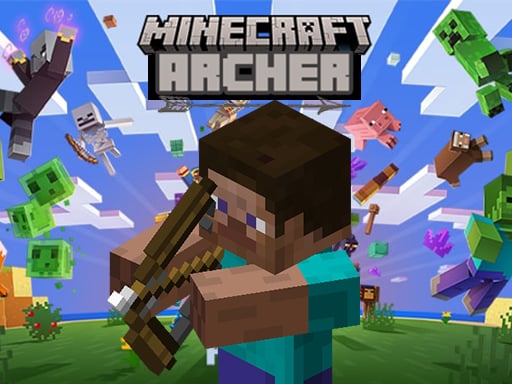
Welcome to the enchanting world of Minecraft Archer, a thrilling adventure game set in the iconic Minecraft universe! Prepare for an exciting journey as you explore a vast array of challenging levels. In this game, you'll take on the role of a skilled archer, armed with your trusty bow. Your mission: aim true and release the arrow to defeat your enemies. Are you ready to embark on a quest filled with arrows, arrows, and more arrows?
How to play Minecraft Archer
1. Aim Your Arc:
- Point your cursor to the target.
- Adjust the angle and power of your shot by moving the mouse left or right and up or down.
2. Release the Arrow:
- Once you're ready, click the mouse button to shoot.
- Aim for the enemy's weak spot to deal the most damage.
3. Explore and Progress:
- Navigate through various levels, each more challenging than the last.
- Complete quests and earn rewards to upgrade your gear and skills.
4. Defeat Your Enemies:
- Use your archery skills to take down enemies and clear paths to new areas.
- Be strategic and think ahead to avoid traps and obstacles.
5. Enjoy the Adventure:
- With endless possibilities and a world full of surprises, Minecraft Archer is a game that will keep you shooting for hours on end!
Recommended next: Dangerous Landing
Everything You Need to Know About Minecraft Archer
Game Information
- Game Title: Minecraft Archer
- Genre: shooting
- Platform: HTML5 Browser Game
- Release Date: 2024-08-06
- Players: Single Player / Multiplayer
- Price: Free to Play
- Rating: ⭐ 4.9/5 (82 votes)
- Total Plays: 248
Why Play Minecraft Archer on PlayCrazyGames?
game_y8.game_experience_free
- ✅ Instant Access - No downloads or installations
- ✅ Full Screen Mode - Immersive gaming experience
- ✅ Mobile Optimized - Play on any device
- ✅ High Performance - Smooth gameplay guaranteed
- ✅ Safe & Secure - 100% virus-free
- ✅ No Registration - Start playing immediately
How to Play Minecraft Archer
Master Minecraft Archer with these simple steps:
- Click the game container to start playing
- Use mouse click or keyboard controls (check game instructions)
- Complete objectives and achieve high scores
- Press fullscreen button for better experience
- Share with friends and challenge their scores!
Gameplay Tips & Strategies
To excel at Minecraft Archer, consider these expert tips:
- Start with tutorial levels to understand basic mechanics
- Practice regularly to improve reaction time and skills
- Watch video walkthrough for advanced strategies
- Take breaks to maintain focus and performance