Scratch Emulator - Free Online Game

Play Scratch Emulator Online Free - Complete Game Review & Guide

What is Scratch Emulator?

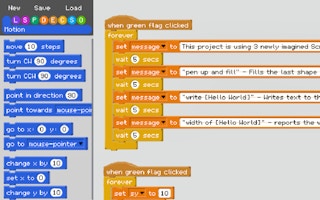
The Scratch Emulator is a fun and creative platform where you can bring your game ideas to life. It's like having a virtual playground for your imagination, where you can design games, animations, and more!

Scratch Emulator Games

How to Play

Getting Started:

  • Run the Project: Click the real green flag to start your project. To stop it, click the green flag again.

Using the Emulator:

  • Create Scripts: Drag blocks from the side panel to create your scripts.
  • Rename Variables: Click on a variable to rename it.
  • Delete Blocks: Drag blocks back onto the side panel to delete them.
  • Scrolling: Use the arrow keys or mouse scroll wheel to navigate.
  • Move Left and Right: Use the left and right arrow keys to scroll horizontally.
  • Duplicate Blocks: Hold down the alt key while dragging to duplicate a block stack.
  • Run the Project: To run your project, click the green flag again or click the green flag hat block within your script.

Everything You Need to Know About Scratch Emulator

Game Information

  • Game Title: Scratch Emulator
  • Genre: coding
  • Platform: HTML5 Browser Game
  • Release Date: 2024-12-18
  • Players: Single Player / Multiplayer
  • Price: Free to Play
  • Rating: ⭐ 4.9/5 (1 votes)
  • Total Plays: 0

Why Play Scratch Emulator on PlayCrazyGames?

game_y8.game_experience_free

  • Instant Access - No downloads or installations
  • Full Screen Mode - Immersive gaming experience
  • Mobile Optimized - Play on any device
  • High Performance - Smooth gameplay guaranteed
  • Safe & Secure - 100% virus-free
  • No Registration - Start playing immediately

How to Play Scratch Emulator

Master Scratch Emulator with these simple steps:

  1. Click the game container to start playing
  2. Use mouse click or keyboard controls (check game instructions)
  3. Complete objectives and achieve high scores
  4. Press fullscreen button for better experience
  5. Share with friends and challenge their scores!

Gameplay Tips & Strategies

To excel at Scratch Emulator, consider these expert tips:

  • Start with tutorial levels to understand basic mechanics
  • Practice regularly to improve reaction time and skills
  • Watch video walkthrough for advanced strategies
  • Take breaks to maintain focus and performance

Related games - coding Games You'll Love

Scratch Emulator - Free coding Game Like Scratch Emulator

Scratch Emulator