Pickup Cargo: The Fun Truck Delivery Game! Introduction
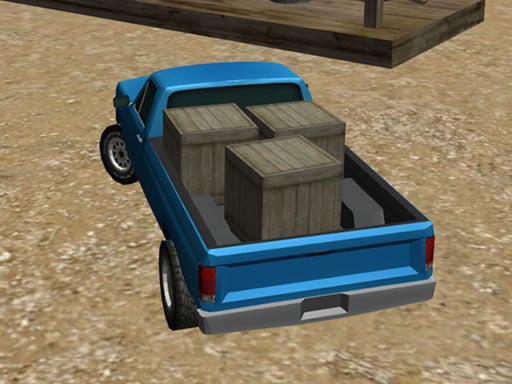
Well, hello there, future truckers! Welcome to the daring and exciting world of Pickup Cargo! In this extremely fun game, you get to drive a big, sturdy pickup truck down the bumpy, dirty, and hilly roads. Your mission? Dropping off many cool cargo items, such as boxes, balloons, and cold, yummy ice cream, at customers' houses—fast! Yup! The Titanic capacity is here—drive carefully so that your cargo does not roll off the truck! Are you ready to be regarded as the best cargo delivery driver in town?
The How-Tos of Playing
If you really want to have fun, playing Pickup Cargo is just so easy. Here are the bits and pieces of what you need to do:
- Drive the Truck: Use the arrow keys on your keyboard or W, A, S, D keys to drive your truck forward, backward, left, and right.
- Handbrake Time: Press the Spacebar for the handbrake. It's a saving grace when you need to stop quickly or make sharp turns without losing your cargo.
- Deliver the Cargo: Pick up the cargo at the loading station and drive it to the correct customer's house, and drop it off there safely.
Features or Highlights
-
Cool Truck: Pick your own level of choice from an array of pickup trucks that vary in look and handling.
-
Bumpy Roads: Go through all kinds of tricky roads, from muddy trails to rocky hills. It's not an easy task, but oh-soets!
-
Happy Customers: Make sure to deliver the cargo on time and without any damage, so the customers are very happy.
-
Endless Challenges: Test your driving skills in infinite levels and challenges. Will you prove to be the fastest and greatest cargo delivery driver?
Tips for Playing
- Slow and Steady: Remember that it is fine to go slower, especially on the bumpy roads. For safety!
- Handbrake Use: Get as many handbrake stops as you can using the spacebar-it's your safest option to stop fast and make an even sharper turn.
- Plan Your Route: Look in front of you and plan your route to help you avoid anything in your way and deliver your cargo.
- Don't Rush: Rushing leads to losing cargo; treat your cargo carefully and patiently.
Platform
You play Pickup Cargo on desktop, tablet, or phone! It's accessible enough to make play wherever you go.
Developer
Pickup Cargo was developed by a team of super creative and fun-loving game designers who wanted to create a game that would make driving trucks feel like an adventure. They love making games that are easy for kids to play and enjoy, so get ready for a blast!
Happy driving, and have a fantastic time delivering cargo with Pickup Cargo! 🚚💨