Mini Swim: The Ocean Adventure! Introduction
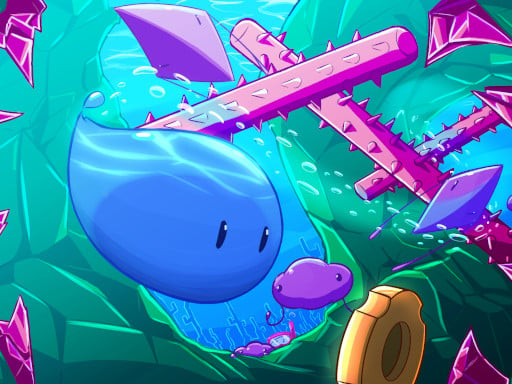
Greetings, little swimmers! Time to charge into the super fun and exciting platformer game Mini Swim, where you become a tiny fish and embark on an adventurous trip! 🐠 Swim all around watery gyms of colors while dodging tricky insurmountable obstacles from the enemies and collecting amidst shining treasures! Speedrun mode for quick collecting and rewarding acmes is also available! Splash, splash, splash! Ready to cause a splash?
Gameplay
In Mini Swim, you need to direct your little fish friend as it makes its way through the aquatic realm. Here's how:
- On Mobile: Use the controls to swish left, right, up, and down. Tap the screen to jump above obstacles and swim through the water!
- On Computer: Use the keyboard. Press W or Up Arrow to swim up, A or Left Arrow to swim left, S or Down Arrow to swim down and D or Right Arrow to swim right. Press Spacebar to jump over obstacles.
You need to collect the treasure chests while dodging the grumpy octopuses and speedy sharks who want to keep you from getting there. Speedrun Mode is your chance to get as many coins as possible before time runs out.
Features and Highlights
- The colorful world of the ocean: The vibrant and beautiful underwater stage is full of hidden treasures and interesting challenges!
- Treasure Hunt: Find and pick up all the treasures to complete the stage. Each treasure is more fun than the one before!
- Enemy Dodging: Outsmart those crafty enemies: sneaky octopuses and speedy sharks. Jump to avoid!
- Speed Run: Test your reflexes to find out how many coins you can gather in an ultrafast run. Can you beat your high score?
- Cute Characters: Say hello to cute underwater friends who will accompany you on your adventure!
Tips and Tricks
- Stay Alert: Keep an eye out for obstacles and enemies. They can appear anywhere!
- Practice Makes Perfect: Try speedrun mode several times until you get faster at coin collection.
- Jump Smarter: Jump over obstacles and enemies, but make sure the timing is just right!
- Have Fun: Don't fret if you slip up the first series of times. Just keep playing, and your skills will get better.
Platform Availability
You can play Mini Swim on your mobile device or your computer! Fun is ready to splash no matter if at home or on the go.
Developer
The creators of Mini Swim are the best game developers who appreciate making joyful and fun games for children like yourself. They wanted to create a game that makes you feel like swimming in the ocean, picking treasures, and having tons of fun! 🌟
So, what are you waiting for? Dive into Mini Swim and start your ocean adventure today! 🐠💦🌈