Play Memory Challenge Online Free - Complete Game Review & Guide
What is Memory Challenge?
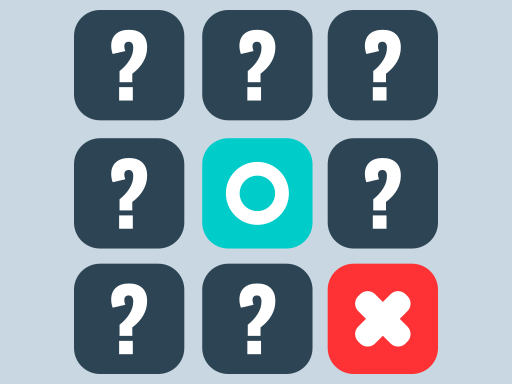
Memory Challenge is a fun and engaging game designed to test and improve your memorization skills. In this game, you'll be presented with a grid of tiles, each with a unique image or symbol. Your mission is to memorize the placement of these tiles and unlock them by selecting the correct ones. As you progress through the levels, the challenge gets harder, but so does your memory!
How to play Memory Challenge
- Start the Game: Begin by tapping the screen to start playing.
- View the Grid: You'll see a grid of tiles, each displaying a different image or symbol.
- Memorize the Layout: Take a moment to memorize the layout of the tiles.
- Select Tiles: Tap on a tile to reveal its image. Try to remember its position.
- Match Tiles: Once you've memorized the layout, start matching tiles by tapping on two that you remember are in the same position.
- Complete Levels: Keep matching tiles until you've unlocked all the tiles in the grid. Each new level adds more tiles and challenges your memory even further.
- Level Up: As you successfully complete each level, you'll move on to the next one, with more difficult grids and patterns to remember.
- Achieve the Ultimate Goal: Can you conquer all 60 levels and unlock the entire game? Only your memory can tell!
Recommended next: Paint Blue
Everything You Need to Know About Memory Challenge
Game Information
- Game Title: Memory Challenge
- Genre: puzzle
- Platform: HTML5 Browser Game
- Release Date: 2024-08-25
- Players: Single Player / Multiplayer
- Price: Free to Play
- Rating: ⭐ 4.9/5 (59 votes)
- Total Plays: 177
Why Play Memory Challenge on PlayCrazyGames?
game_y8.game_experience_free
- ✅ Instant Access - No downloads or installations
- ✅ Full Screen Mode - Immersive gaming experience
- ✅ Mobile Optimized - Play on any device
- ✅ High Performance - Smooth gameplay guaranteed
- ✅ Safe & Secure - 100% virus-free
- ✅ No Registration - Start playing immediately
How to Play Memory Challenge
Master Memory Challenge with these simple steps:
- Click the game container to start playing
- Use mouse click or keyboard controls (check game instructions)
- Complete objectives and achieve high scores
- Press fullscreen button for better experience
- Share with friends and challenge their scores!
Gameplay Tips & Strategies
To excel at Memory Challenge, consider these expert tips:
- Start with tutorial levels to understand basic mechanics
- Practice regularly to improve reaction time and skills
- Watch video walkthrough for advanced strategies
- Take breaks to maintain focus and performance