Play Favorite Puzzles: Jigsaw Game Online Free - Complete Game Review & Guide
Favorite Puzzles: Jigsaw Game Introduction
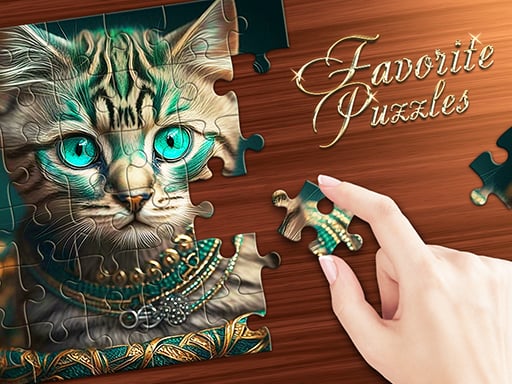
Puzzlers, get ready! Jump now into Favorite Puzzles: the jigsaw game for kids and adults alike! This fun game lets you build beautiful pictures, from cute little animals to splendid landscapes. How about this: with so many pictures, you never get bored. And with the option to choose anywhere from 6 to 600 pieces, it can be made as easy or oddly difficult as you wish. Can’t seem to find your way around? A little hint button shows you a glimpse of the end result. So what are you waiting for? Let's go ahead with making some solutions!
How to Play
Upon really looking, it's actually very easy and fun to play Favorite Puzzles! Here's what you do next:
- On PC: Drag from the plane of the picture pieces with your mouse; pressing the left mouse button is your way of picking up pieces to move around, while the mouse wheel zooms in or out and scrolls through the pieces. It's like magic!
- On Mobile Devices: Use your fingers! Tap and drag to maneuver the pieces around, and pinch to zoom in or out. It's like handling real puzzle pieces while surfing on your screen!
Features or Highlights
- The Choices Are Endless: So many beautiful pictures to solve, and you can even create your own puzzles with photos!
- Difficulty Levels: Make it as easy as 6 pieces or 600 pieces for the more talented! Suitable for any age or skill.
- Hint Button: Got stuck? Click the hint button to see a glimpse of the picture, like a little help from a friend!
- Realistic Mode: Another way to tweak difficulty is by enabling Realistic mode. Here, pieces are scattered across the screen in every which-way!-just like in a real puzzle box!
- Grid Display: Shows where to place pieces along with an outline of the full picture.
Tips While Playing
- Take Your Time: Puzzling is about patience and fun. So don't rush—just have fun!
- Use the Hint Button: If you're truly stuck, use the hint button, which helps get you back on track without giving away too much.
- Vary Your Difficulty: Try a hard puzzle if you think you can do it, otherwise keep it easy.
- Make Your Own Puzzle: For a special challenge, create a puzzle from one of your own photos. Amazing fun way of recalling memories.
Platform
You can play Favorite Puzzles on the PC or mobile devices such as tablets and smartphones. It is easy to access and great fun to play anywhere!
Developer
Favorite Puzzles is presented by a bunch of puzzle lovers that want solving puzzles to be fun for everybody. They love puzzles and designed the game to inject cheer and a bit of challenge into the lives of puzzle lovers of all ages. Isn't that cool?
So, what are you waiting for? Grab your mouse or phone and start solving today! Happy puzzling! 🧩✨
Recommended next: Animal Mix : GPT
Everything You Need to Know About Favorite Puzzles: Jigsaw Game
Game Information
- Game Title: Favorite Puzzles: Jigsaw Game
- Genre: puzzle
- Platform: HTML5 Browser Game
- Release Date: 2024-03-31
- Players: Single Player / Multiplayer
- Price: Free to Play
- Rating: ⭐ 4.4/5 (56 votes)
- Total Plays: 169
Why Play Favorite Puzzles: Jigsaw Game on PlayCrazyGames?
game_y8.game_experience_free
- ✅ Instant Access - No downloads or installations
- ✅ Full Screen Mode - Immersive gaming experience
- ✅ Mobile Optimized - Play on any device
- ✅ High Performance - Smooth gameplay guaranteed
- ✅ Safe & Secure - 100% virus-free
- ✅ No Registration - Start playing immediately
How to Play Favorite Puzzles: Jigsaw Game
Master Favorite Puzzles: Jigsaw Game with these simple steps:
- Click the game container to start playing
- Use mouse click or keyboard controls (check game instructions)
- Complete objectives and achieve high scores
- Press fullscreen button for better experience
- Share with friends and challenge their scores!
Gameplay Tips & Strategies
To excel at Favorite Puzzles: Jigsaw Game, consider these expert tips:
- Start with tutorial levels to understand basic mechanics
- Practice regularly to improve reaction time and skills
- Watch video walkthrough for advanced strategies
- Take breaks to maintain focus and performance