Introduction to Hero Rainbow Ninja Introduction
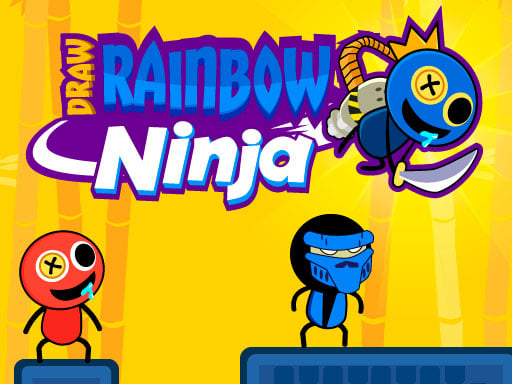
Hello, young heroes! 🌟 Do you love to draw and have a cool game to enjoy? Then it's time to be introduced to Draw Rainbow Ninja! This is a fun and easy game where you are a brave ninja who can draw lines to slice away the enemy. It is just like having a magic pencil that can destroy the evil! And guess the best part? It is free to play and easy to learn. So keep your imagination ready and let's jump into a world filled with colors and action.
How To Play
Playing Draw Rainbow Ninja is as easy as drawing with your favorite crayon! Simply:
- For Desktop: Use your mouse to draw the path for your ninja's sword. Click and drag to draw the line, and watch your ninja fly through the air to slice down the enemies!
- For Touch: If you're on a tablet or smartphone, then just tap and drag on the screen to draw the ninja's path. As easy as it gets!
Your goal is to draw such a line that it hits all the enemies on the screen. The more enemies you slice, the more points you get! But take care: some enemies might be tricky and will require quick thinking and good drawing!
Features or Highlights
- Colorful World: It's a really bright game with tons of animation effects to make it seem like tons of fun!
- Simple but Challenging: Since it is very easy to learn, you will keep improving as you play.
- Endless Fun: There are loads of levels to go through, and each one brings something more exciting!
- High Score Challenge: Challenge your friends to beat your score, and be the ultimate Rainbow Ninja!
Tips for Playing
- Plan Your Moves: Consider enemy movements before going under the drawing. Try to draw in a way that hits as many enemies as possible in one shot.
- Practice Makes Perfect: The more you work at it, the better you will get at drawing the lines. Don't worry if you miss the first few times; everyone starts somewhere!
- Stay Calm and Concentrate: Sometimes it can get very exciting, but try to stay calm and focus on the next move.
Platform
You can play Draw Rainbow Ninja on your computer, tablet, or phone! It is compatible with most devices, so the fun comes with you wherever you go.
Developer
Draw Rainbow Ninja is developed and brought to you by a set of extremely creative game developers who enjoy designing fun and engaging games for kids like you. They have exerted a lot of effort to make the game an easy one to play but still challenging enough to entertain you for hours!
So what are you waiting for? Pick up that pencil, get ready to draw, and become the greatest Rainbow Ninja! 🌈✨