Deck'd Out: The Ninja Turtle Skate Adventure! Introduction
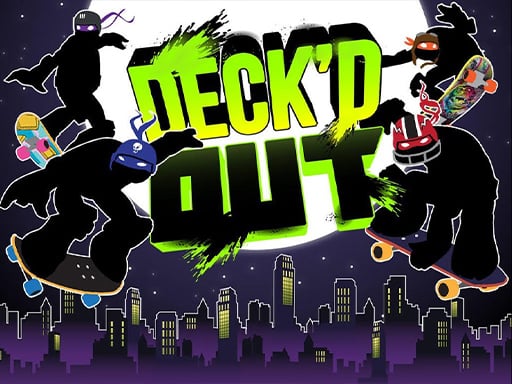
Future skating champions, get ready with the Ninja Turtles for an all-new adventure inside Deck'd Out! Quite contrary to what most years have seen the Turtles engaging in, here the Turtles are not brawling with those bad guys but have their skateboards set against the hustle-packed city streets. Tip the scales; the Footbots are after those sneaky Turtles. How will you make sure your favorite Turtle skates smooth, executes spectacular tricks, and evades those nasty Footbots to reach home safely? Are you ready to see your Turtles through? Let's skate away!
How to Play
This is very simple and tremendously fun! Here's a brief:
- Choose Your Turtle: Skate alongside any of the Ninja Turtles of your choice: Michelangelo, Leonardo, Donatello, or Raphael!
- Move Left-Right: Use the Up and Down arrow keys on your keyboard to move your Turtle left or right on the skateboard.
- Perform Stunts: Click anywhere on the screen to do fantastic skate stunts. The more impressive the stunt, the better!
- Attack the Enemies: Pressing the Spacebar lets you sneak up behind an enemy Footbot and hit them with a cool skateboard attack!
- Complete the Level: Skate through various city areas, and you have three chances to complete each level. Just keep trying until you do it!
Features or Highlights
- Art Style: The game looks awesome with lots of bright color splashes and fun graphics of turtles and their city exploits.
- Stunt Mode: Here is where you get to showcase your board skills through a myriad of tricks.
- Three Chances: So, if you mess up, don't be upset-three tries mean more fun.
- Various Districts: Within the city dwell various areas, each with its challenges and those enemy Footbots.
Tips for Playing
- Practice stunts in open grounds first!
- Keep an eye on Footbots-they are sneaky.
- Save your Spacebar attacks for more strategic moments when you can surprise enemies.
- Most of all, enjoy skating with your favorite Turtle and helping them out!
Platform
Deck'd Out can be played on computers and tablets. No special gear needed, just your keyboard and a mouse!
Developer
The team of game devs behind Deck'd Out are crazily creative and share a love for both the Ninja Turtles and skateboarding; with quite a bit of fun, the devs wanted to bring in a fun and exciting game to the fans, so they achieved just that! The devs are famed for their kid-and-teen-Ninja Turtle-enthusiast game works, and they hope you have an absolute blast as you play Deck'd Out!
So grab your virtual skateboard, pick a Turtle, and hit the streets! Deck'd Out is ready for you! 🐢🛹🌟