Introduction
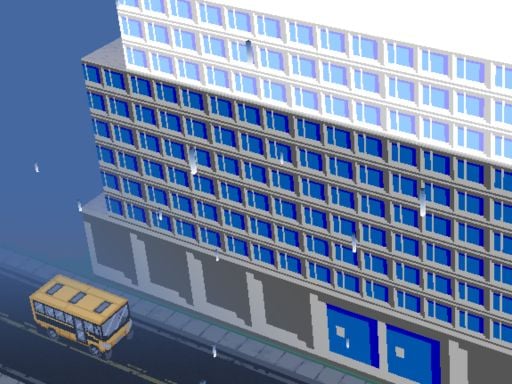
Greetings future bus drivers! Prepare yourself for some exhilarating and joyful driving across the cityscape with Bus Parking Cityscape Depot! This fun yet challenging arcade has you drive a super cool virtual bus and try to park it in ridiculously tough places. The excellent graphics and sounds will guarantee a diversion-laden journey through bustling city streets and tight parking lots. Are you ready to exhibit your parking talents? Let's go driving!
How to play
Use your keyboard to drive the bus in Bus Parking Cityscape Depot. Below are sample keyboard gaming controls:
- WASD: These keys allow for forward, backward, left, and right bus movements.
- C: This key toggles the camera view so that you can view the bus from different angles.
- ESC: Returns to the in-game menu for options or quits in case you get stuck.
You must park the bus precisely on the arrows or lines shown to you and be super careful about not hitting other cars, buildings, and obstacles. The levels get harder and harder, so keep practicing!
Features or Highlights
- Beautiful Graphics: The bus and cityscape are rendered in such a way that one feels like walking in their shoes!
- Engrossing Sound Effects: From the engine sound to the horn of another car and city buzz, you feel it all and drive along.
- Narrow Streets and Tight Parking: You are let loose on narrow streets and tight corners. It is going to test your parking skills but is so much fun!
- Multi-level: Different parking scenarios never let boredom sit in. Every level is a new challenge!
Tips on Playing
- Looking Ahead: Remember to check your way before moving. Easy to lose focus but keep on distraction-proof!
- Practice Makes Perfect: Never think twice about messing up; just try again, and you´ll get better!
- Camera Use: Pressing the C key will get you a different view of your parking target.
- Patience: A few more attempts may be the kind of patience tricky parking of the big bus demands, so do not rush yourself.
Platform
The great thing is that Bus Parking Cityscape Depot works on your computer! That is to say, just make sure you have a goooood keyboard attached to a screen that allows you to see the game clearly.
Developer
The ever-lovable developers of Bus Parking Cityscape Depot have endless fun making exhilarating and challenging games suitable for players of all ages, wishing you a great time driving and parking your bus!
Happy driving, and enjoy Bus Parking Cityscape Depot! 🚌🌟